Default Filters
Default filters are constraints applied automatically to every query run against a source. You can override or remove these filters at the query level if you want to.
When to use default filters
- Excluding test or archived records: filter out rows where
status = 'test'oris_deleted = true - Scoping to a business unit: restrict a shared database to the relevant subset
Configuring a filter
Open the Settings section at the top of any source page. Click + Filter to add a filter row.
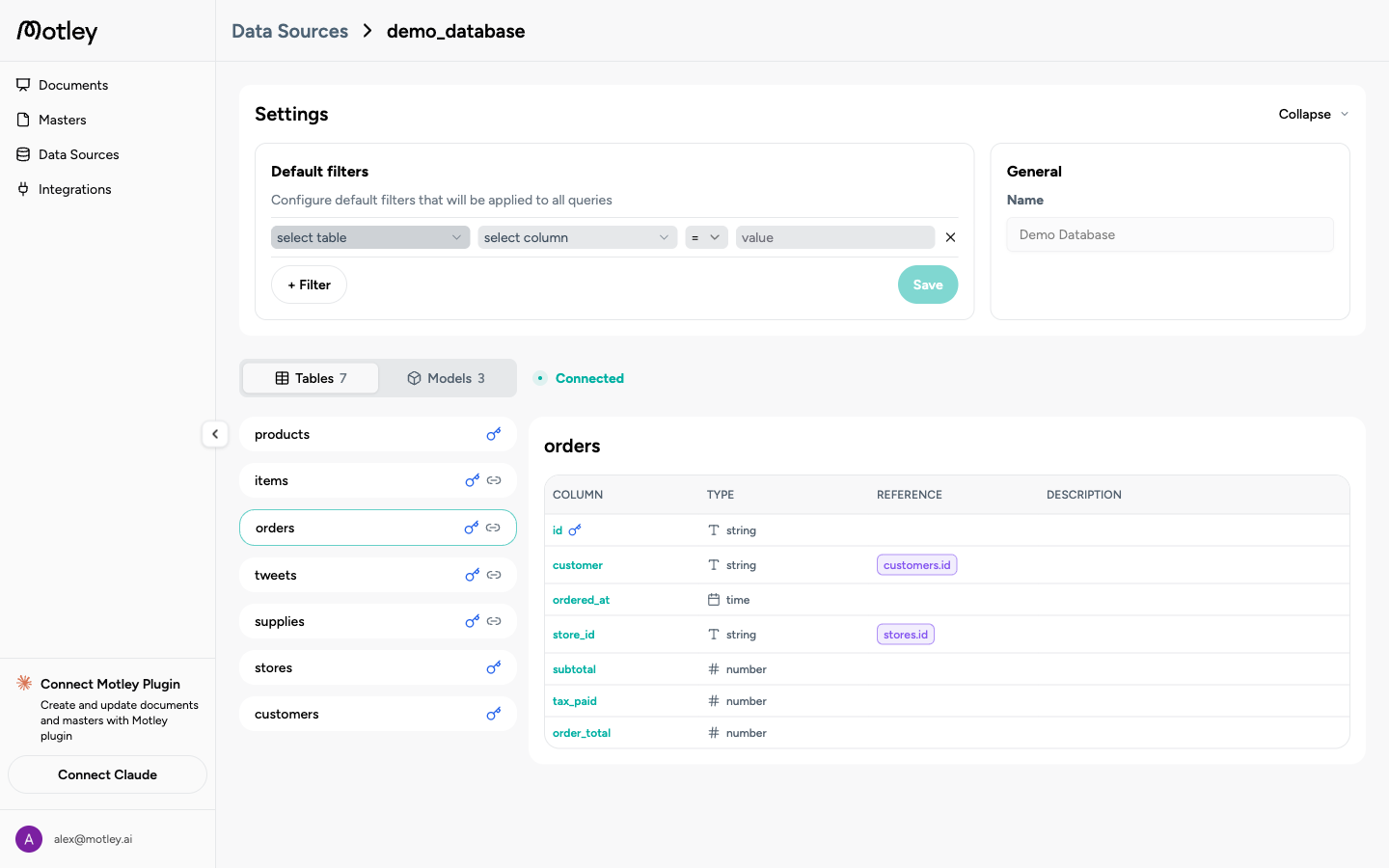
Each filter row specifies:
| Field | Description |
|---|---|
| Table | Which table the filter applies to |
| Column | Which column to filter on |
| Operator | equals, contains, greater than, less than, is set, is not set |
| Value | A static value, or a dynamic variable in {variable_name} syntax |
Click Save after making changes. Filters take effect immediately for new document generations.
Dynamic filter variables
Filter values can reference document parameters using {variable_name} syntax. Setting a filter value to {client_name} on a client_name column ensures queries automatically scope to the relevant client's data when that parameter is passed to the document.